SuperSaaS vs Calendly: 2026 Comparison Guide
Looking for a Calendly alternative? Calendly is known for its ease of use and clean design, making it a favorite among professionals who need a straightforward solution specifically for scheduling meetings. SuperSaaS is a highly versatile online booking software designed to fit every type of scheduling scenario. It offers extensive customization options, allowing users to tailor the service to fit specific business needs from appointments to group scheduling or long-term reservations.
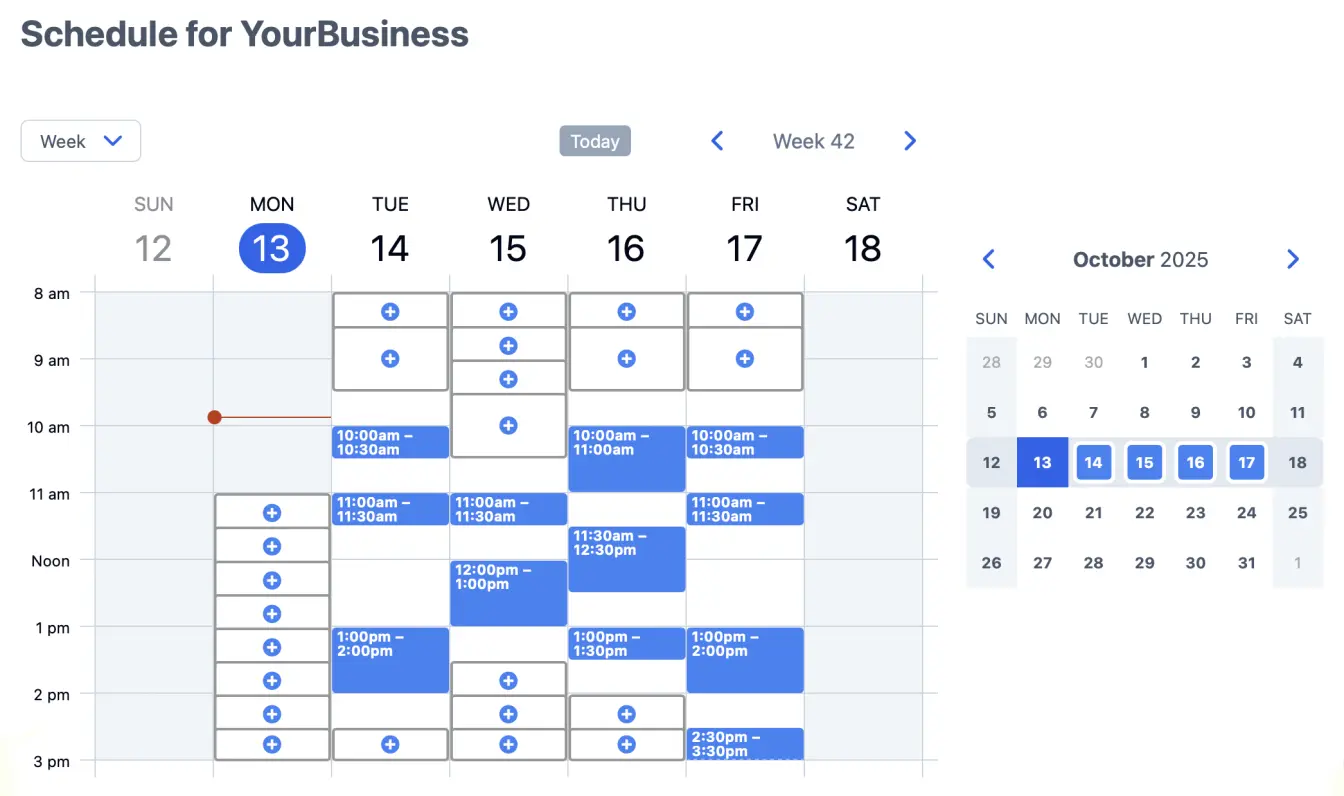

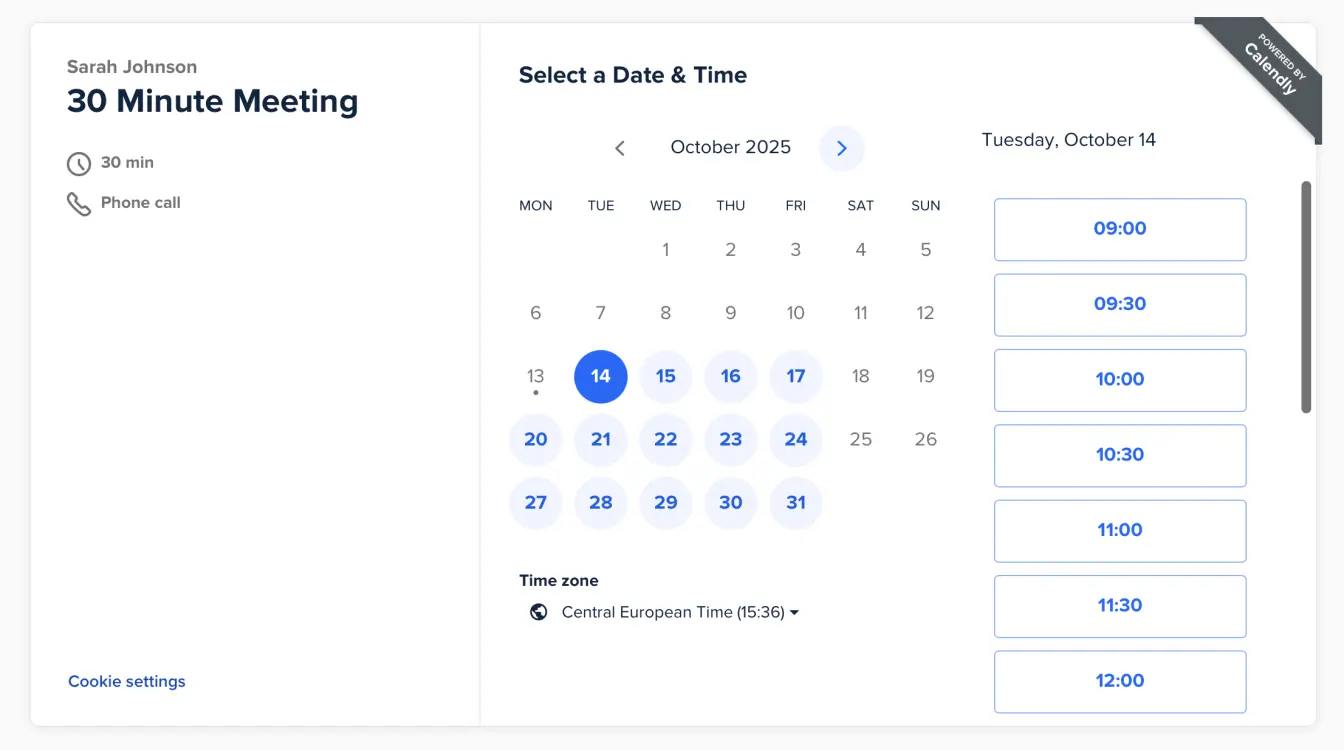
Key differences between SuperSaaS and Calendly
Pricing comparison
SuperSaaS offers a transparent pricing model, featuring a full range of functionalities across all plans. The primary distinctions between packages lie in the number of future appointments and the storage capacity for past reservations. Completed appointments do not count towards your limit of future bookings. Furthermore, SuperSaaS allows an unlimited number of users without additional charges. For more details, visit our pricing page.
SuperSaaS often presents a more economical option for businesses with multiple users compared to Calendly, which charges per user escalating costs quickly. For solo professionals with high appointment volumes but minimal need for advanced features, Calendly may be the more cost-effective choice.
Booking types and use cases
Calendly specializes in scheduling meetings, both one-on-one and group sessions (though not part of the free version). Group meetings in Calendly enable multiple participants to register and optionally pay for a session upfront. However, it lacks more sophisticated functionalities such as waiting lists or dynamic pricing rules. Conversely, SuperSaaS accommodates a broader range of bookings, including rooms, events, classes, rentals, and reservations.
Advanced scheduling scenarios
SuperSaaS caters to unique business scheduling requirements, supporting complex arrangements by integrating multiple calendars. For example, booking a treatment in SuperSaaS checks availability for both the room and the therapist simultaneously. You can also connect two calendars, allowing multiple “hosts” to set their availability while “guests” schedule appointments in the available time slots. Neither “hosts” nor “guests” need to create accounts for this. This has a wide range of applications: from finding a partner in a tennis match to volunteers helping elderly with their tax returns. Only SuperSaaS offers this level of advanced scheduling.
While Calendly includes features like Collective events and so-called Round Robin events in its premium packages, it falls short of offering the extensive scheduling capabilities available with SuperSaaS.
Flexibility and customization options
SuperSaaS excels in adaptability, recognizing the unique needs of each business. This is evident in our various customization options. For instance, SuperSaaS allows users to adjust pricing based on several criteria such as appointment duration, booking day, and start time. Another example is advanced access control, which lets you restrict schedule access and customize user permissions. These are just some examples, find many more on our pricing page.
SuperSaaS also provides complete branding control over the booking page, allowing customization of colors, fonts, and layout to seamlessly integrate the scheduler into your website. In contrast, Calendly offers limited customization and only offers removal of its branding in the paid version. Calendly currently supports only 5 languages vs the 35 languages that SuperSaaS supports.
Notifications, reminders, and calendar sync
Both platforms send automated email notifications and offer two-way calendar sync with Google Calendar and Microsoft 365. SuperSaaS provides unlimited email reminders on every paid plan, with fully customizable templates in 35 languages. For SMS reminders, SuperSaaS connects to third-party SMS providers such as Twilio or MessageBird, so you pay only for the messages you actually send and can use your own sender name. Calendly has SMS reminders built in, but they are only available on higher-tier paid plans and template variables are limited.
Beyond reminders, SuperSaaS lets you accept online payments through more than a dozen payment providers, embed your schedule directly into any website, and trigger workflows through Zapier or our REST API. Calendly offers similar integrations, but most require a Teams or Enterprise plan to unlock.
Free plan and free trial
Both SuperSaaS and Calendly offer a free plan, but the scope differs significantly. The Calendly free plan is useful for a simple meeting link, but it effectively gives you one bookable setup at a time and removes most automation. The SuperSaaS free plan keeps almost every feature available, including online payments, custom branding, advanced scheduling scenarios, unlimited users and an unlimited number of calendars, with a cap of 50 future bookings. The only exception is two-way calendar sync with Google Calendar and Microsoft 365, which requires a paid plan. That still makes SuperSaaS one of the few free Calendly alternatives suitable for small businesses, classes, and clubs that need full functionality without a credit card.
When to choose SuperSaaS as your Calendly alternative
SuperSaaS is purpose-built for businesses with scheduling needs that go beyond simple meeting bookings. If any of the following situations apply to you, the SuperSaaS booking system is likely the better fit.
- You manage multiple staff, rooms, or resources. SuperSaaS checks availability across calendars in real time, while Calendly is designed primarily around an individual host calendar.
- You sell classes, courses, or events. SuperSaaS supports group bookings with capacity limits, waiting lists, and recurring sessions out of the box.
- You rent equipment or spaces by the hour, day, or week. SuperSaaS handles long-form rentals and reservations, a use case Calendly does not cover.
- You need to charge variable rates. Use pricing rules to apply discounts, surcharges, or tiered pricing based on time, duration, or customer group.
- You serve customers in multiple countries. The SuperSaaS interface is available in 35 languages, compared to 5 for Calendly.
- You need transparent, per-account pricing. SuperSaaS plans support unlimited users, while Calendly multiplies its monthly fee by the number of seats.
If your scheduling workflow is limited to one-on-one consultations, demos, or sales calls, Calendly remains a strong, focused choice. SuperSaaS is the better Calendly alternative for any organization that schedules a wider range of activities. You can also compare SuperSaaS with Setmore, SimplyBook.me, and YouCanBookMe.
Flexible pricing to match a flexible system
- There is no limit to the number of staff, locations, services or schedules
- There is no limit to the number of appointments you can make per month
- There is no minimum subscription length, so you can sign up for one month only if you need it for an event
- Change your package at any time or even downgrade back to the free version without losing your settings
- You are welcome to keep using the free service for non-commercial use
Self-service is good service, and we pass on the savings
If you compare our service to others’ you will notice we offer the best value by far. We can offer such a great price because our systems are fully automated, keeping your data confidential and our cost structure low. You set everything up yourself, or you ask your web developer do it for you. Only when you use the feedback form does a real person get involved. This way we don’t need to charge you with any additional setup fees or support costs.
Our refund policy is simple: we always provide a full refund in the (unlikely) case that you are not satisfied.
Does SuperSaaS have integrations similar to Calendly?
Google Calendar Microsoft 365 Calendar
 Dropbox
 WordPress
 PayPal
 Google Analytics
 Zoom
Zoom
 Twilio
 Instagram
